
Live demo
See how Meridian works.
A step-by-step walkthrough from departments to a board-ready register.
01
Start with a clear picture
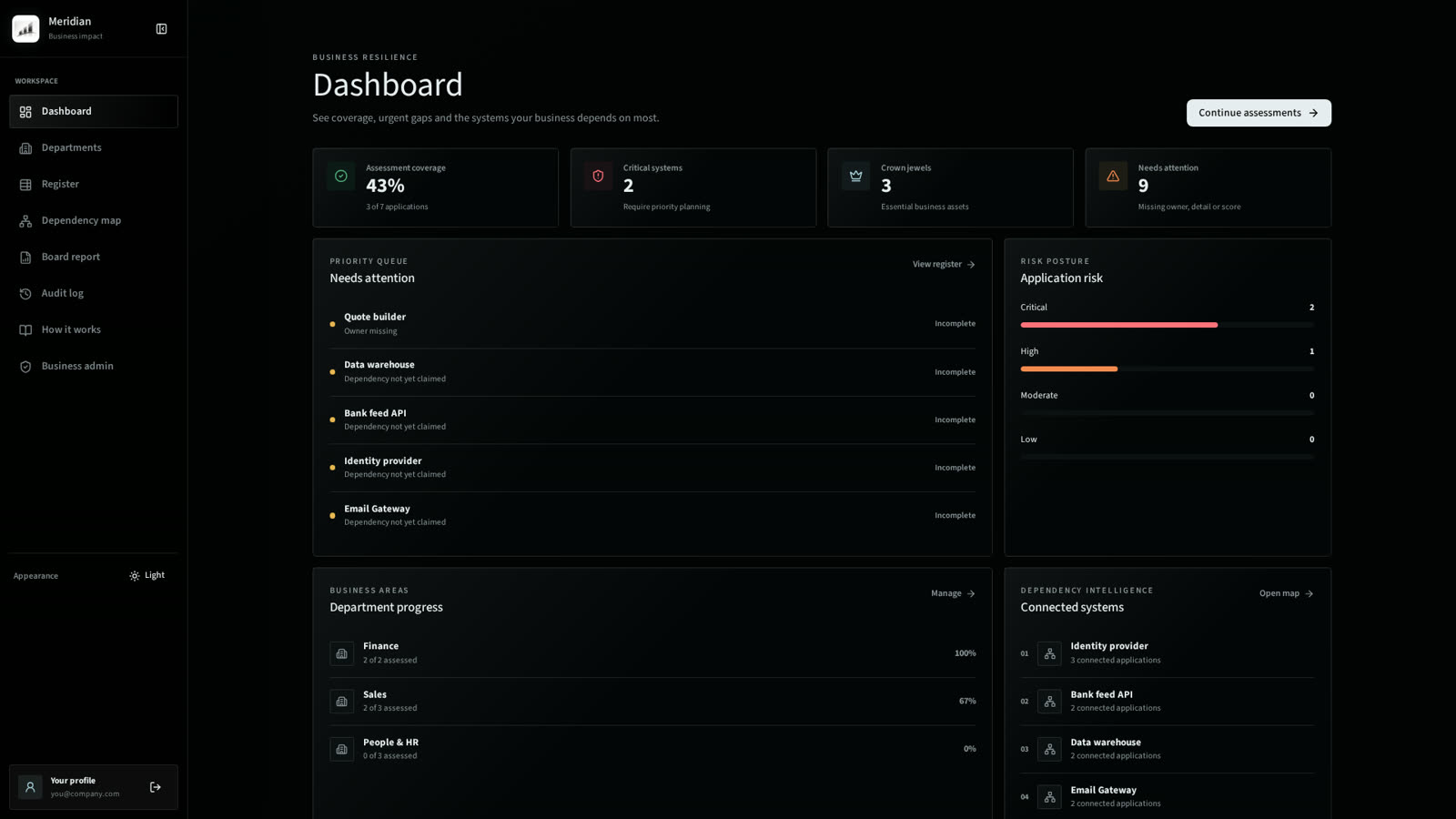
The dashboard shows your coverage, what still needs attention and the systems the business leans on most — the moment you sign in.
02
Assess an application in minutes
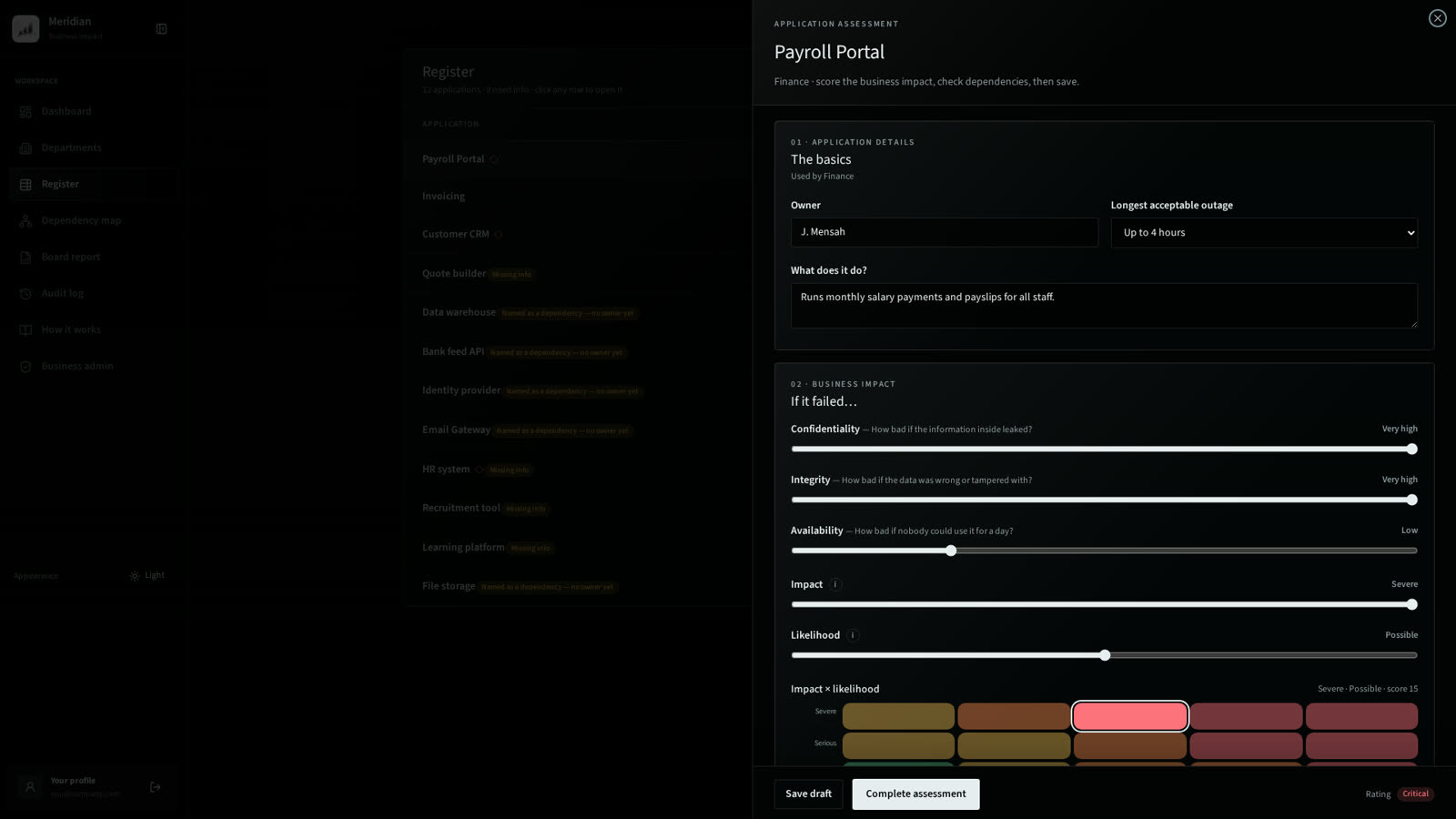
Open any application in a side panel, answer plain-English questions and watch the 5×5 impact and likelihood matrix rate it live.
03
See what depends on what
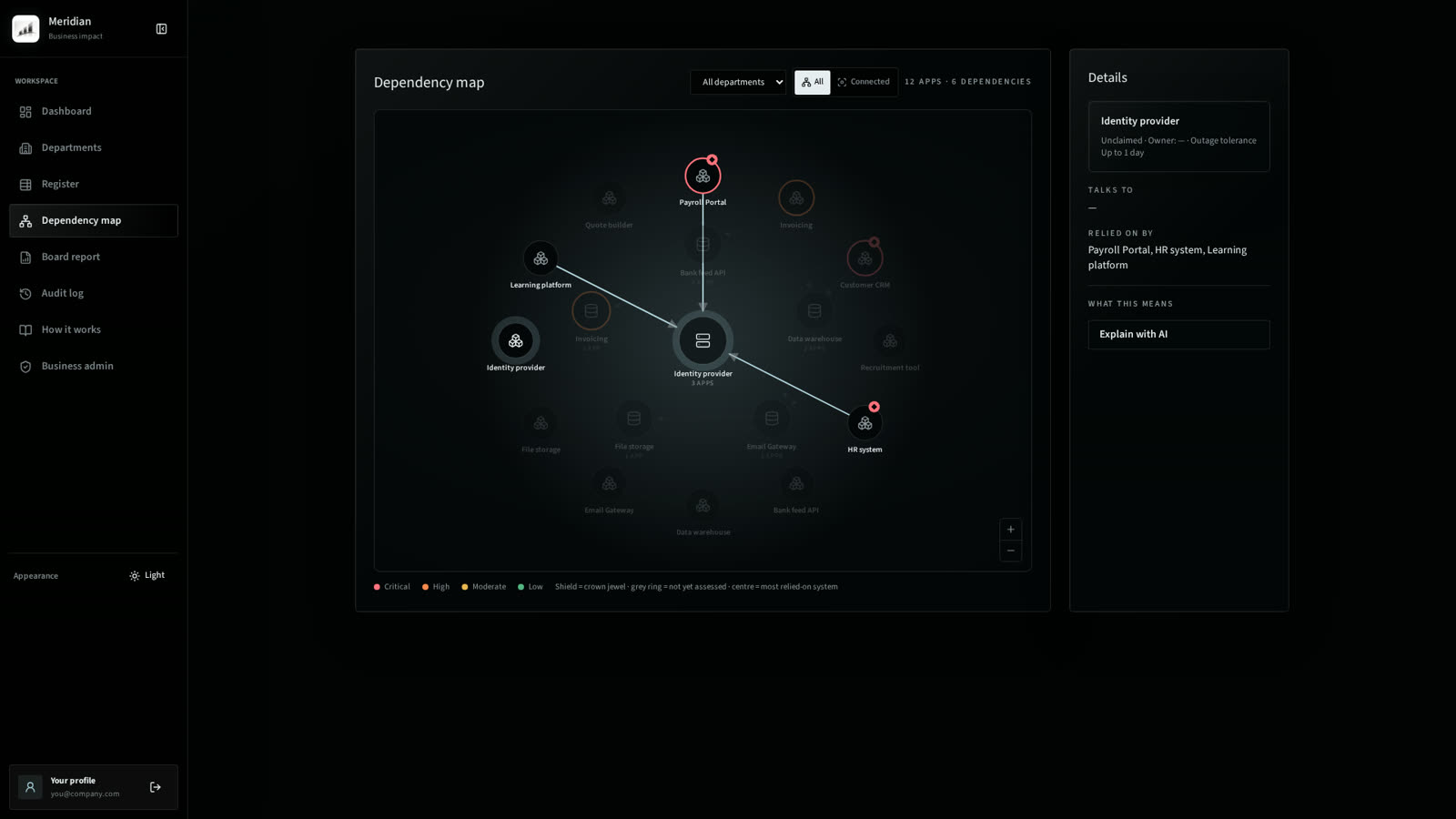
The dependency map puts the most relied-on system at the centre, so single points of failure are obvious — with an AI read of what it means.
04
Keep one trusted register
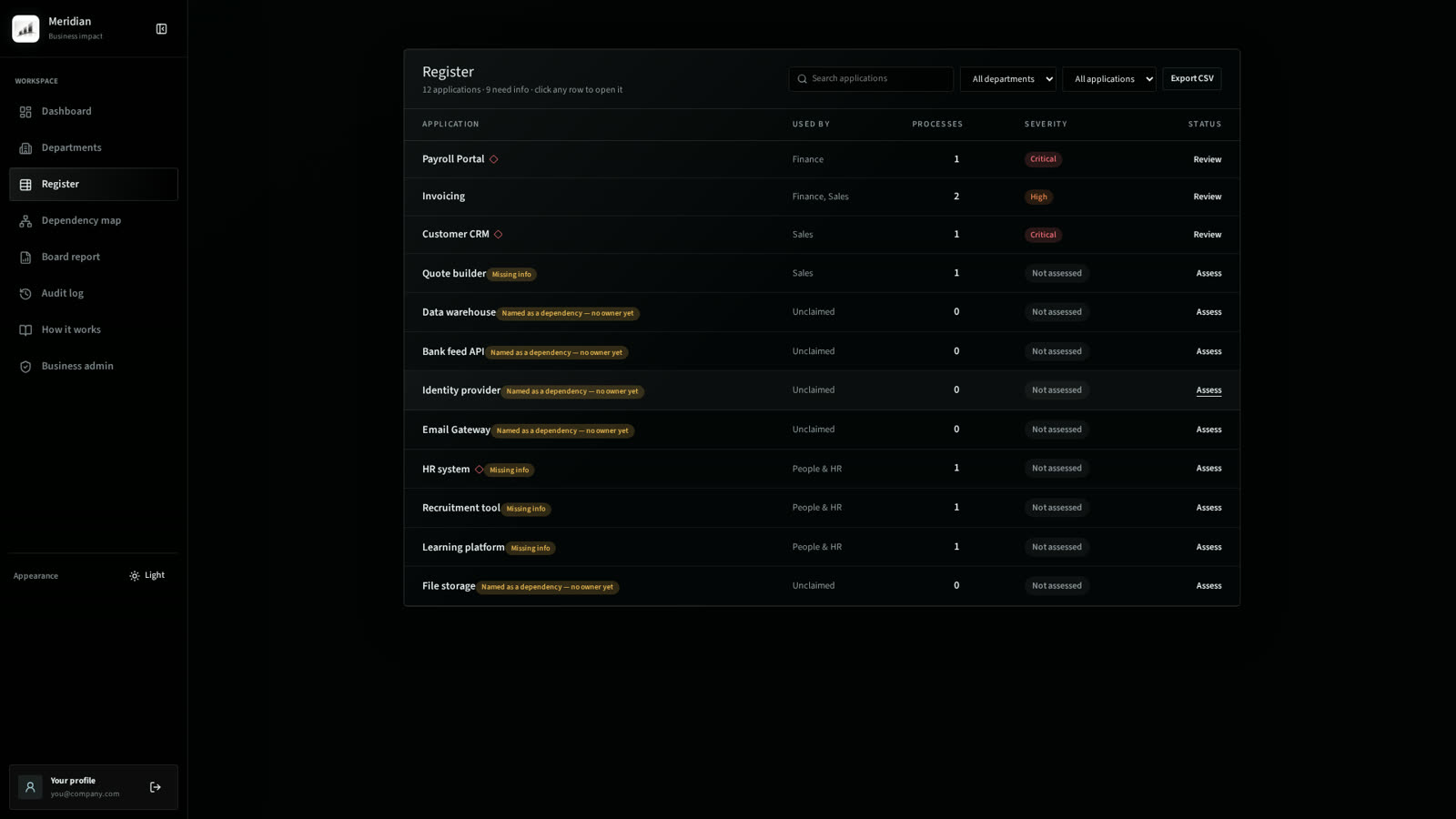
Every application appears once, with who uses it, its processes, severity and status. Click a row to update it. Export any time.
05
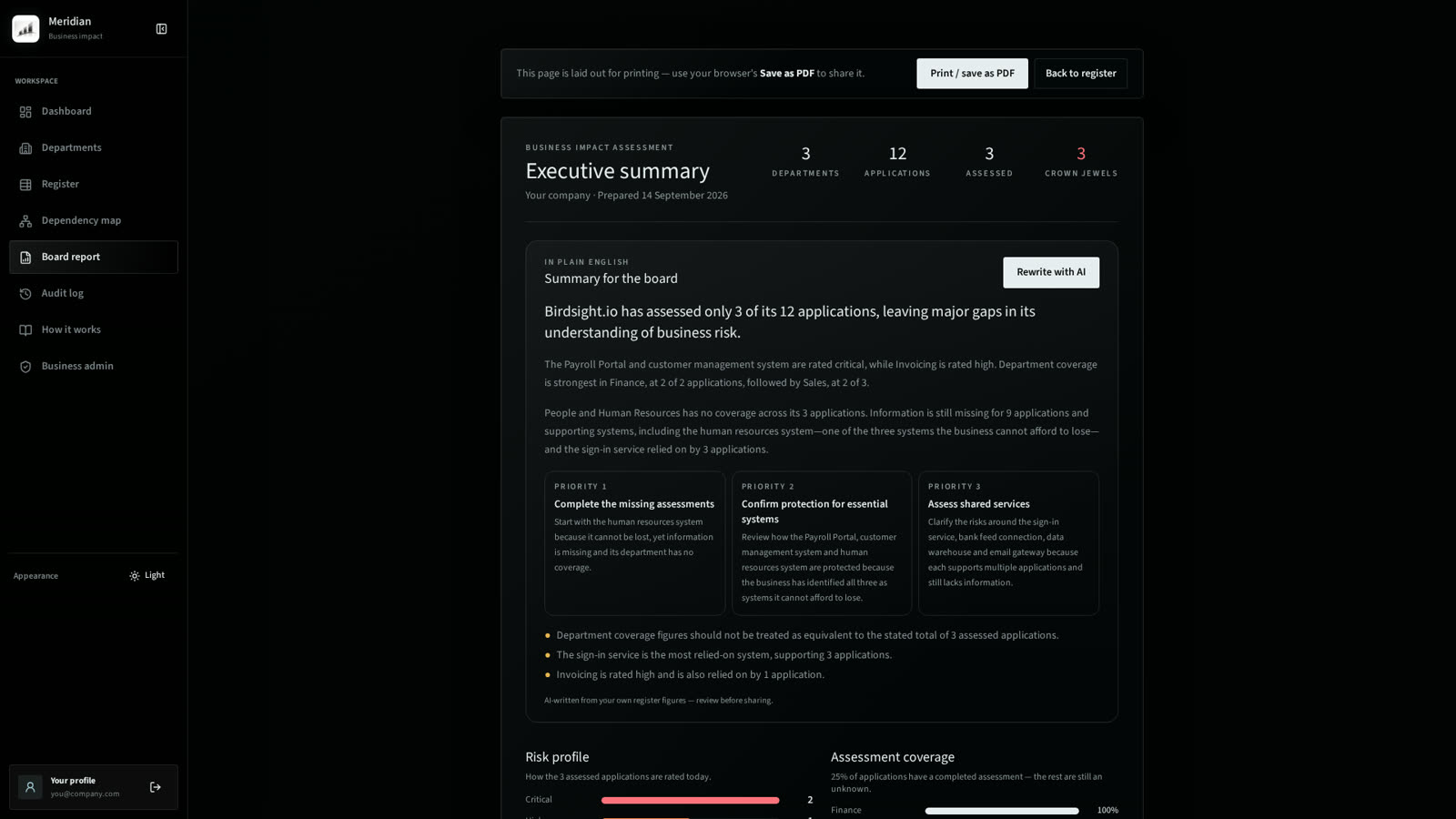
Hand the board a real report
An AI-written executive summary, risk profile and coverage charts — print-ready, clean and something you can be proud to present.
What you get
- Set up a department once.
- List every application it depends on.
- Score impact and likelihood on a visual 5×5 matrix.
- Mark crown jewels and map system dependencies.
- Export a clean register your leadership can use.